Posts

Showing posts with the label week 6

Reading 6

Image
Reading 6 This week for reading 6 task I had to do the body paragraphs. My week this week was difficult. I am finding this semester work to be hard and I feel like I need to go back to some weeks and add loads to them because I feel like due to them not having much work and research over them makes the rest of the weeks harder.  My two topics are Navigation Mechanisms and Game input Devices. I feel like these are hard enough to get much research to link to each other. I just feel like I am doing the research wrong and feel overwhelmed by not getting enough work done.  Next week, because we have a free week I am going to go back to past weeks and add more to them and do much more research because I know I have not done enough because I am finding this semester much more difficult compared to last semester. I find it hard to do research on the topics I have.  I have tried my best to get some sort of work done for the body paragraphs but I do not know if this is righ...

Unity Tutorial 06

Image
Unity Tutorial 06 For this weeks Unity tutorials, I started on a new prototype, Prototype 3. I found this tutorial to be the best one so far. I had to complete three different tutorials to complete this weeks task. The links to the three tutorials: Lesson 3.1 Jump Force  Lesson 3.2 Make the World Whiz By  Lesson 3.3 Don’t Just Stand There  One strange problem I kept having was when I would use the tall layout, it would not allow me to add the script to the player. I did not know why this problem kept occurring until I randomly changed layout and then it allowed me to add the script.  The first tutorial was pretty much setting up the whole scene and getting our character to start working. I found this tutorial to be the easiest one of the three. The only problem I had was the script problem that I stated earlier. The second tutorial took me some time as the coding was getting confusing at parts. The third tutorial took the longest to do and I foun...

Game Design Document

Image
Game Design Document Game Introduction  'ROAD TO KICK-OFF' is a game following a footballer who needs to get ready for his big match. The idea of the game is your the footballer and controlling him and trying to find 10 items that he needs for his match, for example football boots or shin-pads. Once you've collected and found all 10 items you will be ready to play your big game. Genre: The genre of the game is adventure because you've to go on a big adventure to try and collect all the items. The game is going to be a fun adventure for the player. GamePlay: The gameplay is going to have one player be a 3D game. The rules are simple, just to collect the 10 items needs. The player will be controlling the player around the area looking for hidden items. The challenge is to get all the items. Target audience & platforms: The target audience is for any ages between 3-14. This game is very easy to be able to play but is also good for younger children to be ab...

Unity Tutorial 05

Image
Unity Tutorial 05 This week , I watched three videos on Unity. The videos are 'tutorial 6,7 and 8'. I enjoyed these tutorials as I do every week, but one thing I wish was that the tutorials were the same as last week, when it was just text and screenshots instead of videos. I don't know why but I feel like it is easier for me to keep up and follow the tutorials when their in text form instead of videos. I found 'tutorial 07' to be the most exciting and interesting tutorial out of all of them. I found a connection to this tutorial because I like in game when there are weapons involved.  Although, it was confusing to get the understanding of everything needed to make the weapon move and work perfectly. It took me a while to get the everything working to get the weapon to work but I got there eventually. It is a great benefit for me to know how to add weapons into a game because I'm sure in the future that if I was making a game that I would like to implement w...

Games GDD

Image
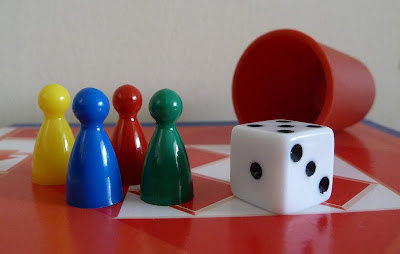
Games GDD I read an article called 'Design Considerations' by Greg Aleknevicus, here's a link to the article: http://www.thegamesjournal.com/articles/DesignConsiderations.shtml . He gives us tips on improving the UI and rules for writing for board games. A good game doesn't need good components but it doesn't do any harm to have them. The list of components Greg said are good to be used are: Make tiles smaller than the spaces they're placed upon: If your game has pieces beside each other, it's better if their smaller so if you move a piece it won't disturb the rest  of the pieces. Use highly contrasting/distinguishable colours for player pieces: It's a good idea for your game to include colour so it is easy for the players to distinguish between the pieces easily, but it is wise to not choose colours that look a bit a like for example, red and orange. Use shape as well as colour to distinguish pieces: It is a good idea to have shapes in you...